references
Table Of Contents
-
- Creating a Post per folder
To create post inside a folder:
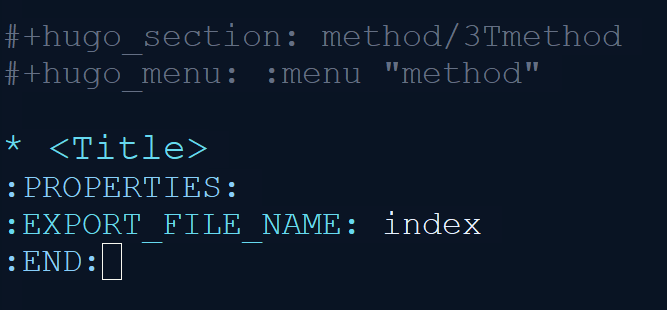
- a) Specify
section name/folder namein the front matter against variable hugo_section. - b) Set the menu front matter variable to the section name
- c) Remove title variable from front matter. Create a H1 title name as the first entry in the post right above the properties values.
- d) Create properties attribute and provide index as the name for the export file name.
-
- Steps to autoexport org file as markdown
- To autoexport file to markdown when org file is saved, set the
local variable as below and remove -l from the
evalexpression. - Also ensure that init.el file has the script for creation of markdown on saving the file. https://ox-hugo.scripter.co/doc/auto-export-on-saving/
-
- Creating plotly chart inside org file
- The org file should be exported to a folder either with index or any other name.
- Create chart.json file in the same folder where the markdown is exported.
- Invoke using the shortcode
{< chart data="chart" >}The value fordatacould be anything other than ‘chart’. - The short code should be wrapped inside
#+begin_hugo #+end_hugoor directly with#+html:tag.
-
- To cross reference another post inside hugo
- The format is
[Descriptive text]({{\< relref "name of the post#id" >\}})(remove the slash in the shortcode) - Example: tmux quick reference
- Data Tables
-
Mermaid Diagrams
#+begin_hugo @startwbs
Business Process Modelling WBS
Launch the project
Complete Stakeholder Research
Initial Implementation Plan
Design phase
Model of AsIs Processes Completed
- Model of AsIs Processes Completed1
- Model of AsIs Processes Completed2
Measure AsIs performance metrics
Identify Quick Wins
Complete innovate phase
@endwbs #+end_hugo
- Custom CSS and javascripts